Chetan JoshiAugust 23, 2024





Review: Philips 27B2U6903 – The Definitive Thunderbolt 4 Docking Monitor
Chetan Joshi
February 20, 2026
I belong to the Gen X demographic and I have observed how the normal working paradigm has evolved over the years. The ever-growing ubiquity of technology in the workplace has seen the present Gen Z having to constantly adapt to maintain a competitive advantage as the world becomes more digitally connected. Our eyes are constantly transfixed on a monitor or screen throughout the day so it is without question that the display technology we choose has to meet the growing needs of the consumer. Monitors of old were Cathode Ray Tube (CRT) displays, featuring low-resolution monochrome or limited-colour graphics, typically in a 4:3 aspect ratio. Resolutions of 640×200 or 640×350 pixels were considered cutting-edge.
So, it’s exciting when one of the big players in the sector release a new product with admirable specs that meet the demands of users in 2026.
The Philips 27B2U6903 is a masterful response to this demand, blending a premium 4K UHD visual experience with a Thunderbolt 4 docking ecosystem AND a suite of intelligence-driven sustainability features (something that would make my Gen X counterpart’s brain explode back in the day!)
In the box
Forgive me for banging on about packaging in all of my reviews, but I do appreciate the care and consideration that goes into the packaging of tech products.
The monitor is shrouded in a protective material which is encased in the box so that all edges are protected along with the other parts needed for assembly.
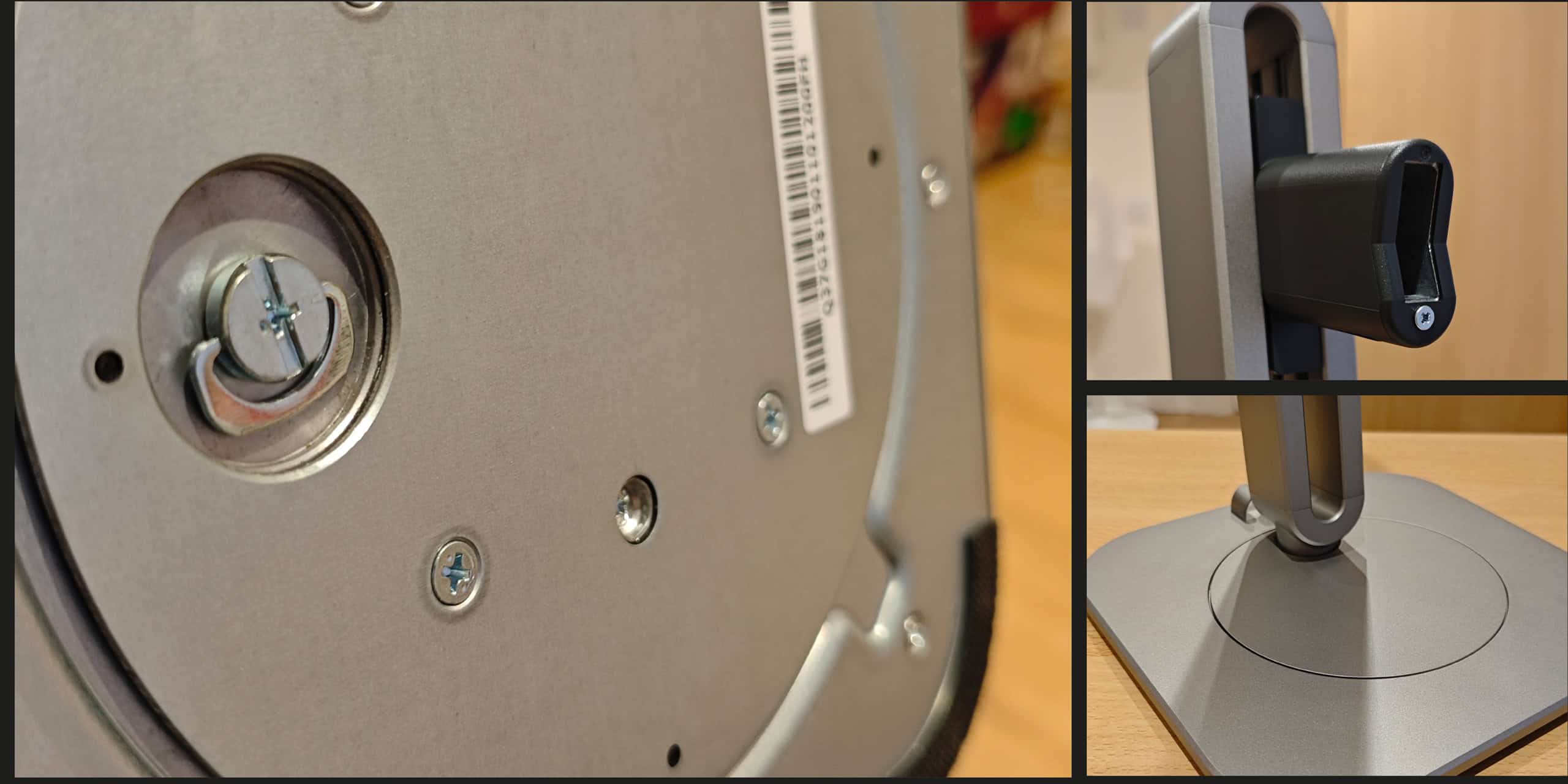
The monitor has an eye-catching stand, which, to me, is a work of art. The silvery grey brushed metal finish and simple, tactile curves are quite alluring.
Also in the box is the stand and base (more about that in a minute). I also found a selection of leads and cables.
- HDMI
- DP
- Thunderbolt4
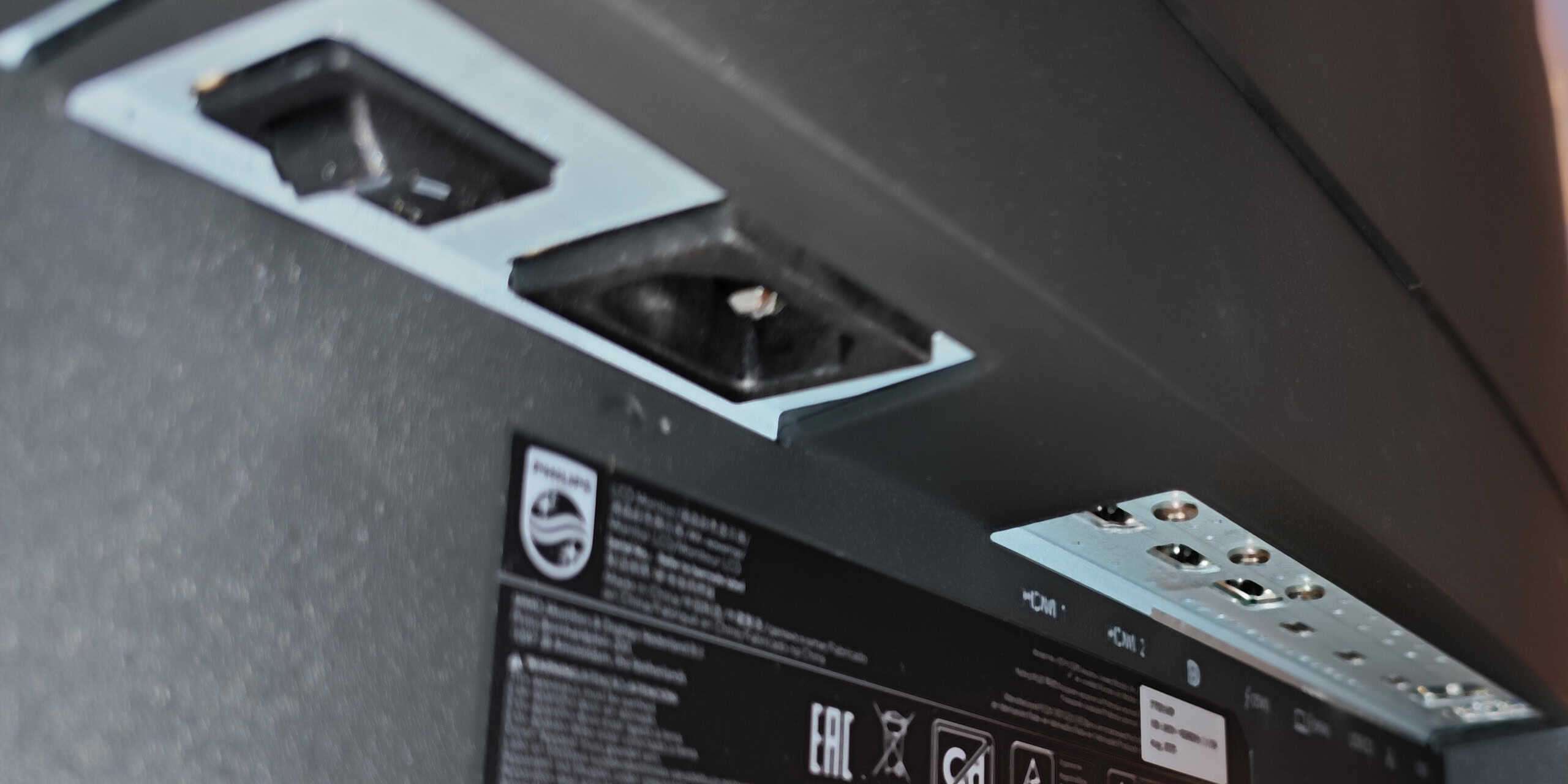
- Power cable (2-pin with 3-pin adaptor)
Setting up
The stand fixes to the base by slotting it into the receptacle in the base and tightening the captive thumbscrew underneath (no tools needed, although there is a slot for a flat screwdriver or coin if you prefer). Once the two parts are attached, I married the top of the stand to the back of the monitor
Thunderbolt 4: Connectivity Without Compromise
At its core, the 27B2U6903 is a 27-inch professional display that prioritises efficiency – both in terms of your workflow and your electricity bill.
The most compelling reason to choose this model over its competitors is the integration of Thunderbolt 4. While many monitors offer USB-C “one-cable” solutions, Thunderbolt 4 operates on a different level of bandwidth and versatility.
Through a single cable, this monitor provides up to 100W of Power Delivery. This is a critical threshold; while 60W or 65W chargers struggle to keep up with a high-end MacBook Pro or a workstation-class Windows laptop under heavy load, 100W ensures your battery stays at 100% even during video rendering or complex data processing.
Furthermore, the 27B2U6903 features a Thunderbolt downstream port. This allows for “daisy-chaining,” enabling you to plug a second 4K monitor directly into the Philips display. This reduces cable clutter significantly, as only one wire ever needs to touch your laptop. To round out the “docking station” experience, Philips has included a 2.5Gbps Ethernet port. In an age where Wi-Fi can be patchy in dense office buildings, having a high-speed, wired connection fed directly through your monitor is a massive boon for stability and security.
Visual Performance: 4K Clarity and Color Precision
The screen itself is a 27-inch IPS panel with a resolution of 3840 x 2160. At this screen size, 4K provides a pixel density of approximately 163 pixels per inch (PPI). The result is superlative sharpness; text looks like printed ink on a page, and the jagged edges of vector graphics appear to be anti-aliased and so, virtually invisible.
Although marketed as a business monitor, for creative professionals, colour reproduction is paramount. The 27B2U6903 covers sRGB 100% and NTSC 93%, but more importantly, it arrives with a factory calibration certificate. This means the colours you see on the screen are scientifically accurate to the source material, making it a reliable tool for photo editing and web design and publishing. While the 60Hz refresh rate won’t win over gamers, it remains the standard for professional productivity, offering a flicker-free and stable image for long-form work.
Sustainability and the “PowerSensor 2” Revolution
Philips has long been a leader in eco-conscious hardware, and the 27B2U6903 is no exception. The chassis is constructed from 85% post-consumer recycled (PCR) plastics, and the entire unit is 100% free of Mercury and Lead. However, the real innovation is found in its active power-saving technology.
The PowerSensor 2 is a significant leap forward and, in my opinion, sets a new bar for the competition to reach. Traditional motion sensors on monitors dim the backlight when you leave. PowerSensor 2 goes further: it communicates with the Windows 11 operating system. When the infrared sensor detects that you have left your chair, it can trigger the connected PC to enter a power-saving state or sleep mode. When you return, it wakes the system up instantly.
This creates a seamless “lock and leave” experience. For a large organisation deploying hundreds of these units, the cumulative energy savings—and the extension of the hardware’s lifespan—are substantial. Complementing this is the LightSensor, which adjusts the screen’s brightness based on the ambient light in the room, ensuring the monitor isn’t pulling more wattage than necessary in a dimly lit office.
Ergonomics and Quality of Life
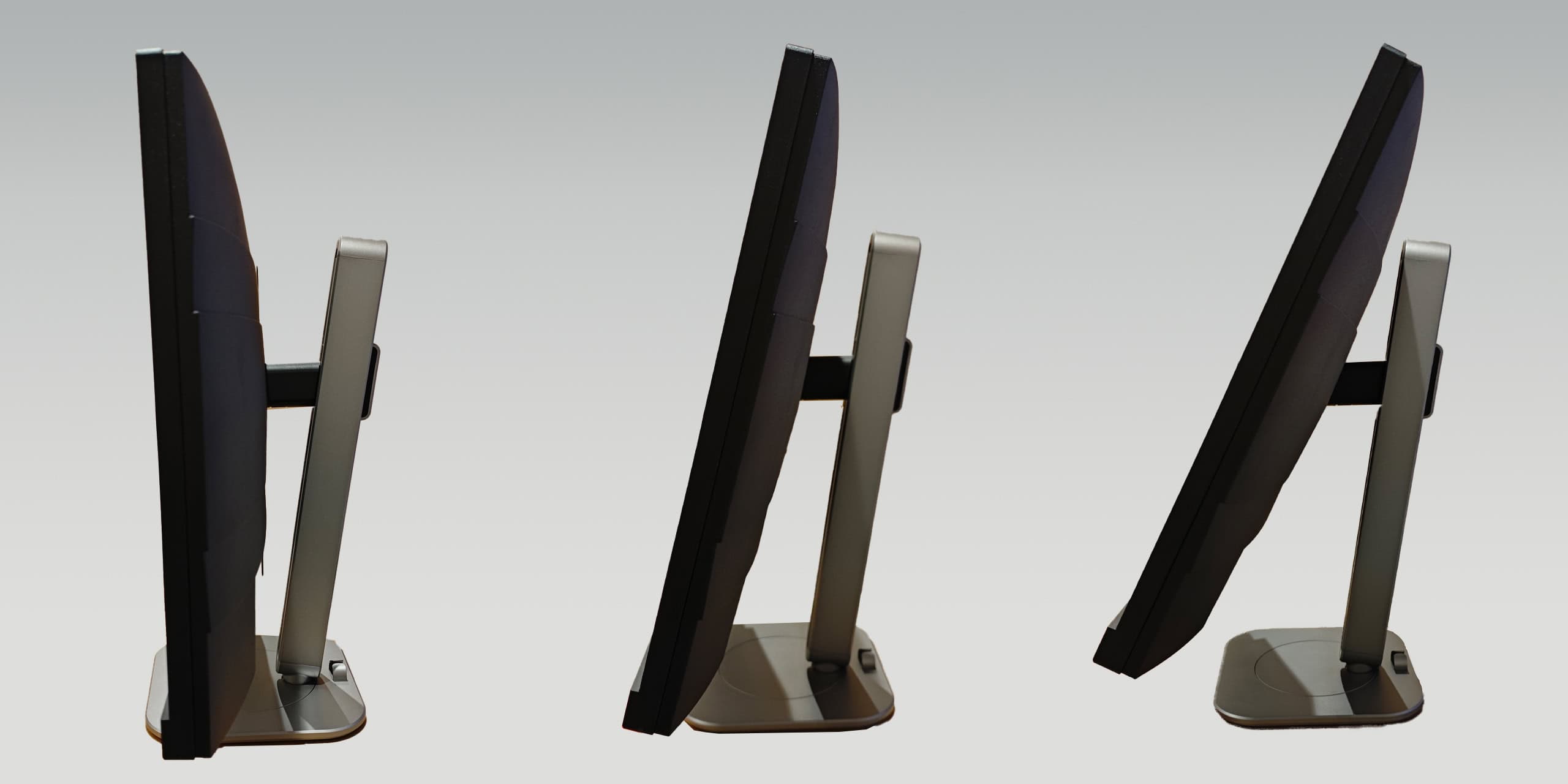
Philips understands the “daily grind,” and it shows in the physical design. The SmartErgoBase offers a full range of motion:
- Height Adjustment: 150mm to ensure the top of the screen is at eye level.
- Pivot: 90 degrees for those who prefer coding or reading documents in portrait mode.
- Swivel and Tilt: For effortless sharing of the screen with a colleague.
A thoughtful touch is the built-in KVM switch. If you have a desktop PC plugged into the DisplayPort and a laptop plugged into the Thunderbolt port, you can switch between the two computers using the same mouse and keyboard with a simple button press. There is even a retractable earphone hook on the side of the frame. Although for me, it’s an extraneous detail (I’ve always given these as much kudos as a cup-holder in a car), I do believe it will benefit those who like to maintain Zen and keep a clean, professional workspace.
Final Thoughts
The Philips 27B2U6903 is a premium tool designed for a specific user: the professional who values time, desk space, and has a concern for the environment. It eliminates the need for an expensive external Thunderbolt dock (which can cost quite a bit on its own) and provides a visual experience that is easy on the eyes in every sense of the word.
By merging top-tier connectivity with aggressive energy-saving tech, Philips has created a monitor that isn’t just a peripheral, but a cornerstone of a modern, sustainable home or corporate office.
Further information
For more details on the Philips 27B2U6903, check out their website here: https://www.philips.co.uk/c-p/27B2U6903_00/business-monitor-4k-uhd-monitor-with-thunderbolttm-4
advertising
Warning: Trying to access array offset on false in /home/fa559791/dzhereltse37.com.ua/sonnydickson/wp-content/plugins/rs-resizer/libs/rs_resizer.php on line 295
Warning: Trying to access array offset on false in /home/fa559791/dzhereltse37.com.ua/sonnydickson/wp-content/plugins/rs-resizer/libs/rs_resizer.php on line 302
Warning: Trying to access array offset on false in /home/fa559791/dzhereltse37.com.ua/sonnydickson/wp-content/plugins/rs-resizer/libs/rs_resizer.php on line 303
Warning: Trying to access array offset on false in /home/fa559791/dzhereltse37.com.ua/sonnydickson/wp-content/plugins/rs-resizer/libs/rs_resizer.php on line 303
Warning: Trying to access array offset on false in /home/fa559791/dzhereltse37.com.ua/sonnydickson/wp-content/plugins/rs-resizer/libs/rs_resizer.php on line 303
Warning: Trying to access array offset on false in /home/fa559791/dzhereltse37.com.ua/sonnydickson/wp-content/plugins/rs-resizer/libs/rs_resizer.php on line 295
Warning: Trying to access array offset on false in /home/fa559791/dzhereltse37.com.ua/sonnydickson/wp-content/plugins/rs-resizer/libs/rs_resizer.php on line 302
Warning: Trying to access array offset on false in /home/fa559791/dzhereltse37.com.ua/sonnydickson/wp-content/plugins/rs-resizer/libs/rs_resizer.php on line 303
Warning: Trying to access array offset on false in /home/fa559791/dzhereltse37.com.ua/sonnydickson/wp-content/plugins/rs-resizer/libs/rs_resizer.php on line 303
Warning: Trying to access array offset on false in /home/fa559791/dzhereltse37.com.ua/sonnydickson/wp-content/plugins/rs-resizer/libs/rs_resizer.php on line 303
Warning: Trying to access array offset on false in /home/fa559791/dzhereltse37.com.ua/sonnydickson/wp-content/plugins/rs-resizer/libs/rs_resizer.php on line 295
Warning: Trying to access array offset on false in /home/fa559791/dzhereltse37.com.ua/sonnydickson/wp-content/plugins/rs-resizer/libs/rs_resizer.php on line 302
Warning: Trying to access array offset on false in /home/fa559791/dzhereltse37.com.ua/sonnydickson/wp-content/plugins/rs-resizer/libs/rs_resizer.php on line 303
Warning: Trying to access array offset on false in /home/fa559791/dzhereltse37.com.ua/sonnydickson/wp-content/plugins/rs-resizer/libs/rs_resizer.php on line 303
Warning: Trying to access array offset on false in /home/fa559791/dzhereltse37.com.ua/sonnydickson/wp-content/plugins/rs-resizer/libs/rs_resizer.php on line 303
Warning: Trying to access array offset on false in /home/fa559791/dzhereltse37.com.ua/sonnydickson/wp-content/plugins/rs-resizer/libs/rs_resizer.php on line 295
Warning: Trying to access array offset on false in /home/fa559791/dzhereltse37.com.ua/sonnydickson/wp-content/plugins/rs-resizer/libs/rs_resizer.php on line 302
Warning: Trying to access array offset on false in /home/fa559791/dzhereltse37.com.ua/sonnydickson/wp-content/plugins/rs-resizer/libs/rs_resizer.php on line 303
Warning: Trying to access array offset on false in /home/fa559791/dzhereltse37.com.ua/sonnydickson/wp-content/plugins/rs-resizer/libs/rs_resizer.php on line 303
Warning: Trying to access array offset on false in /home/fa559791/dzhereltse37.com.ua/sonnydickson/wp-content/plugins/rs-resizer/libs/rs_resizer.php on line 303
Similar articles

Comments
Don't miss our best reviews
Occasional updates, only when we have something worth sharing
Occasional updates, only when we have something worth sharing

Thanks for your message!
We’ve received it and will get back to you soon.