Kris QuickJuly 25, 2025





Review: Philips Gamepix 900 Projector: Testing the 4K Muscle
Chetan Joshi
December 28, 2025
Projectors have come a long way since the early days, when consumers spent a small fortune on their set-up only to be confronted with the anxiety of recurring costs of lamp replacements, image degradation, high input lag and not to mention the noise of the fans that had to work hard to expel the heat they generated.
Nowadays, thankfully, advances in engineering, materials technology, manufacturing, and a more honed design aesthetic mean the woes of the past no longer burden us.
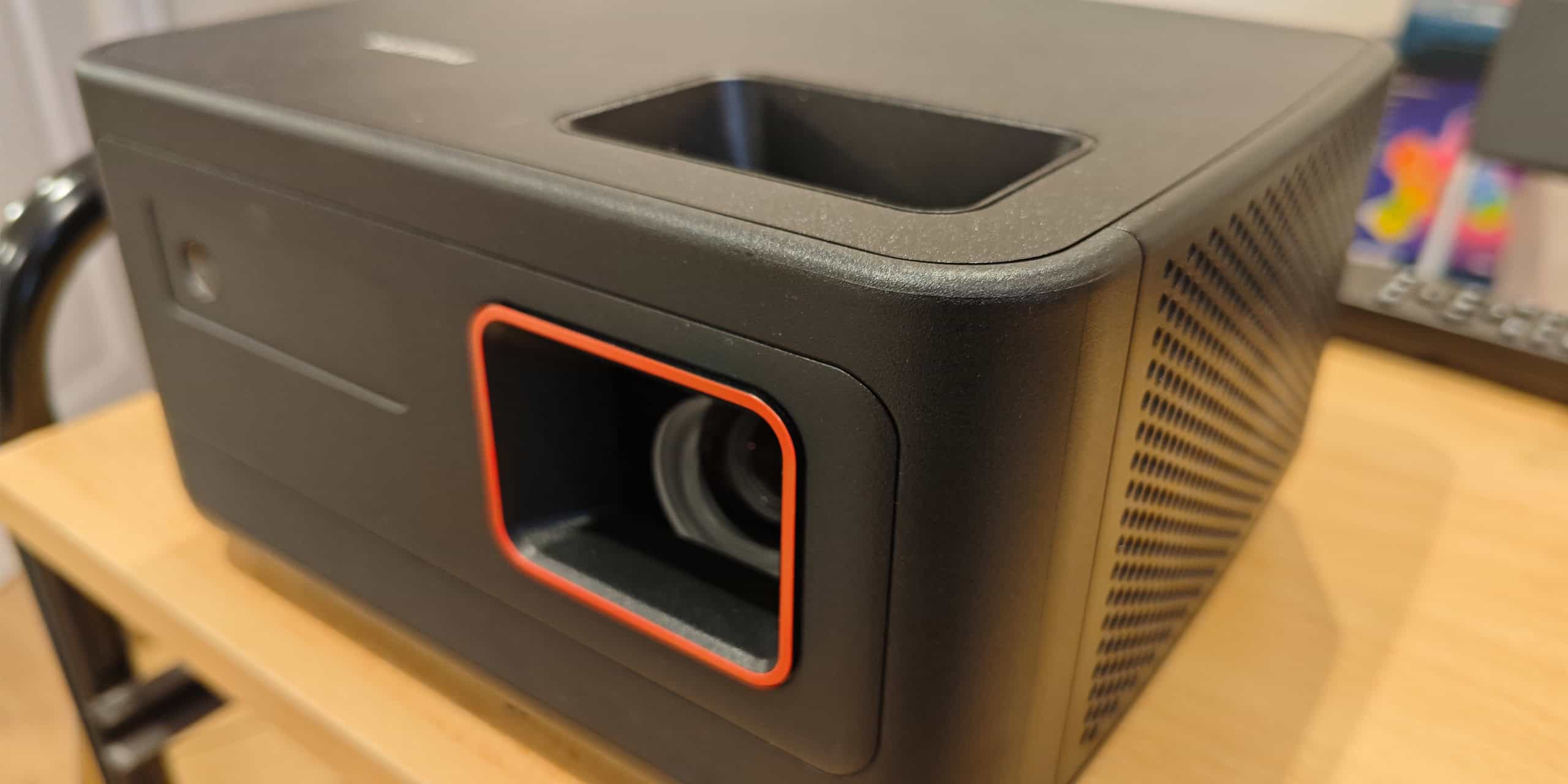
Philips has a highly reputable, long-established presence in the digital technology space. My previous review of the NeoPix 750 was my first foray into projectors and I was very impressed, to say the least. For me, it was all the projector I felt I’d ever need. Then recently, I was introduced to the Gamepix 900. “A projector for gamers?” I thought. Perhaps I had underestimated the nuances of a projector primarily aimed at gamers. I’ll be the first to hold my hands up and say that I’m not a hardcore gamer. My first computer was a Commodore 64, which was plugged into the family TV. The resolution of the TV was accepted as the norm at the time. This was fine for games of the period like Chuckie Egg, Pac Man and Tetris. But it would be futile to compare the joy of gaming in the 80s with the thrill and excitement derived from today’s titles.
Consumers constantly demand more from their hardware to satisfy their lust for gaming “joie de vivre”.
I must say, the Game Pix 900 certainly does deliver.
In the box
Inside the box you will find the;
- GamePix900
- a power adapter attached to a DC cable
- a choice of two power leads – UK Type G, three-pin and a double round pin Type E/F – which is used in much of the rest of Europe and around the world.
- A remote controller with two AAA batteries.
- A Quick Start Guide
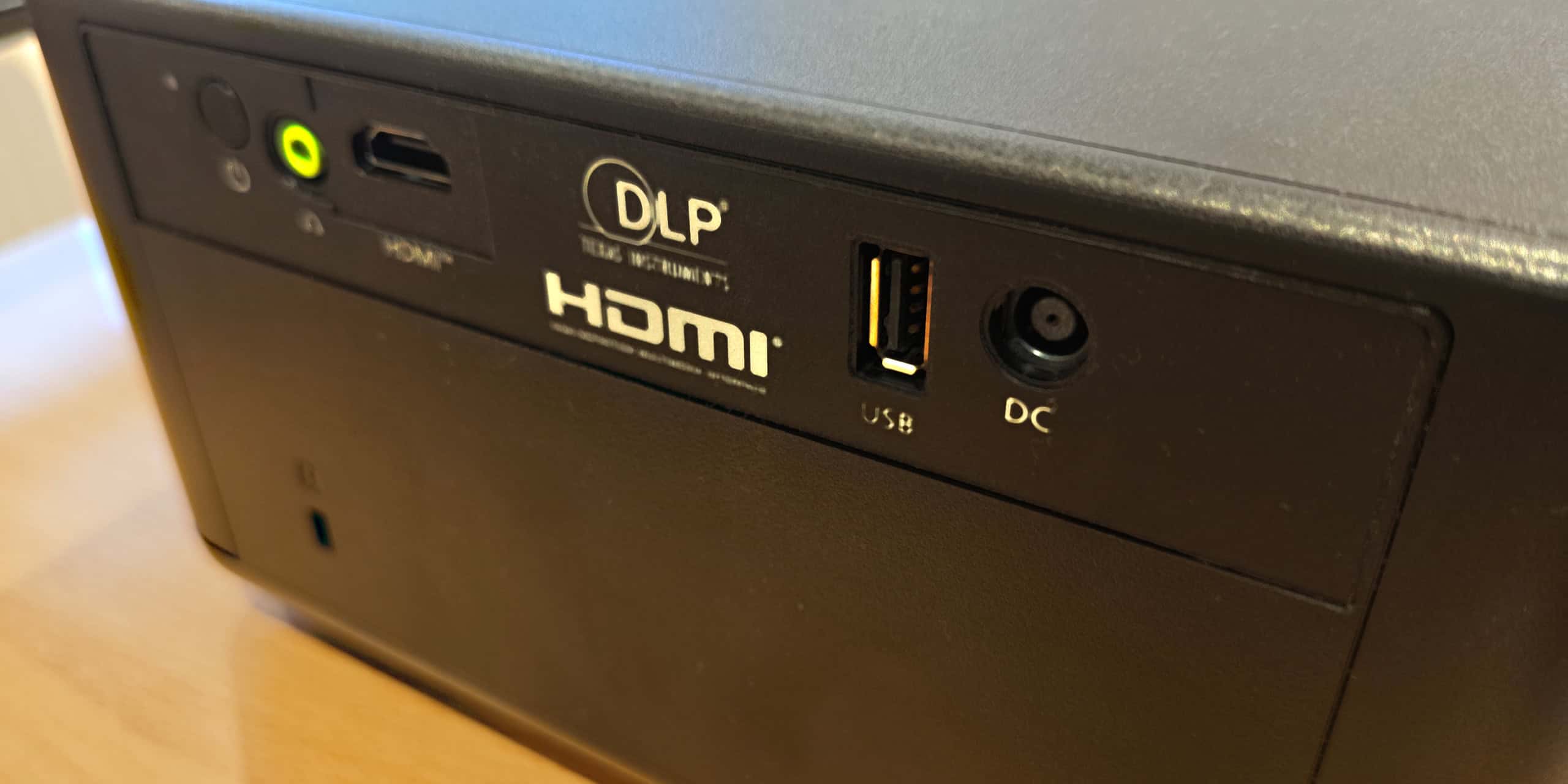
The first few pages of the Quick Start Guide show illustrations of connectivity options, which are quite self-explanatory. Being a Mac user, my 2019 laptop doesn’t come with HDMI support, so I did panic a little as I wondered if I’ll be able to get connected. One of the illustrations showed a USB device connecting to the USB port on the back of the GamePix900, so I pinned my hopes on connecting my Mac via USB. This didn’t work, so I had to rummage around for a USB-C to HDMI cable I had previously bought. This worked just fine.
Setting up
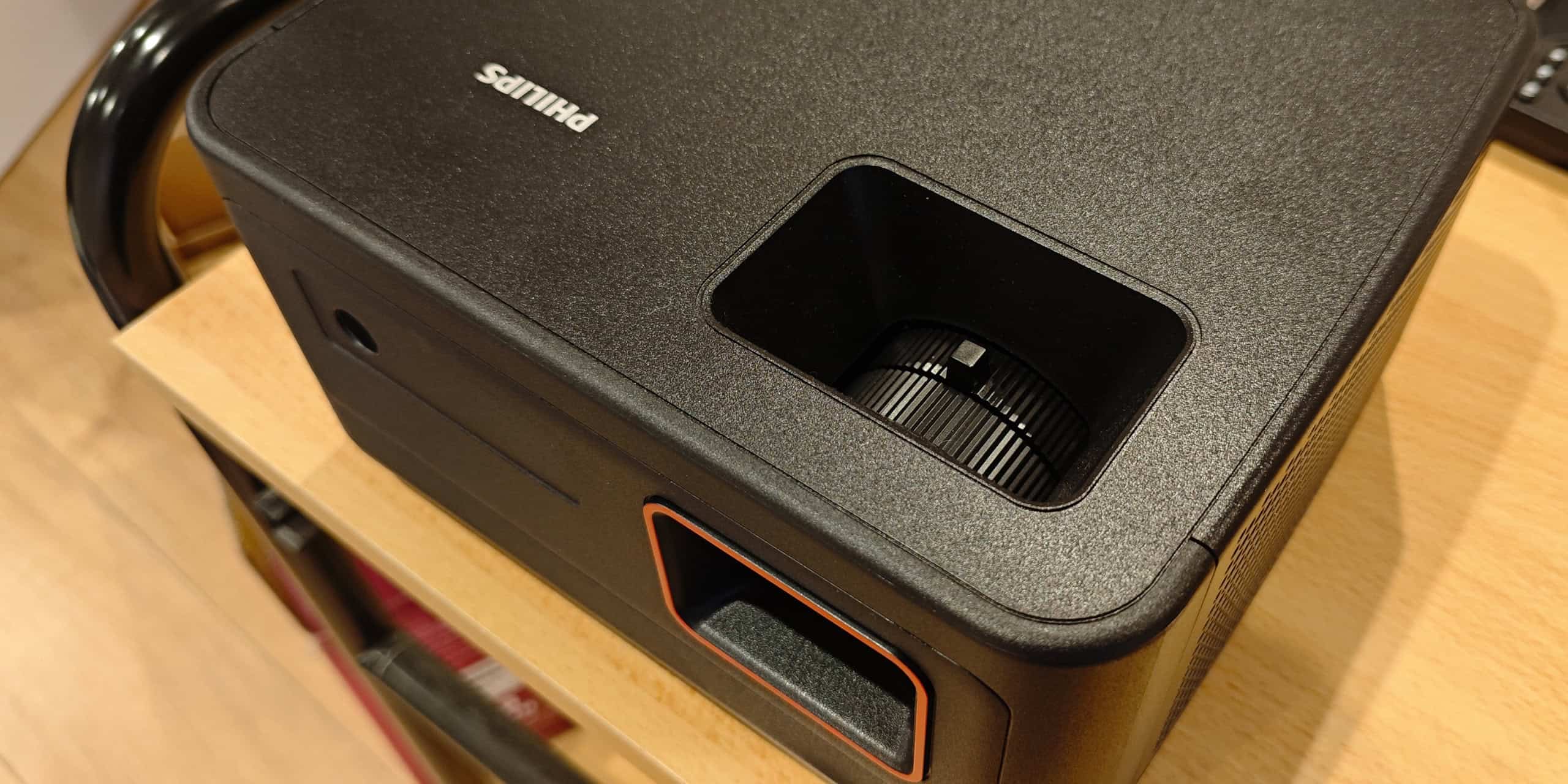
Upon first inspection, the first thing I noticed was that this projector is quite chunky in appearance. Having said that, it does only weigh around 2kg. Personally, I’d have liked a slimmer, curvaceous form, but aesthetics is subjective.
Setting up is fairly intuitive. The projector needs power (use the power cable and adapter) and a source device with HDMI (laptop, games console…)
Pressing the On/Off button on the rear of the projector will project the Philips logo onto the wall or screen. This provides a good referencing image to allow the user to set up the height and focus.
I was able to achieve a good-sized image (100”) from around 10 feet but if you can spare an extra couple of feet, you could enjoy a 120” display.
There is a threaded height adjuster on the underside which helps the user achieve their optimum display angle.
On the top side of the projector, directly in line with the lens, there is a focus adjuster. Sliding this left or right, will further help obtain picture perfection.
At this point, I loaded the AAA batteries in to the remote controller and continued the setup tasks.
It was at this point that I came across the Keystone setting. I’d only seen this previously on the Philips NeoPix 750 review I did. Keystone basically allows the user to digitally distort the alignment of the horizontal and vertical edges of the display to achieve 90º corner angles. This is particularly helpful if the surface the user is projecting onto isn’t perpendicular to the projector.
Finally, with the Keystone setup out of the way, the user can proceed to connect their input device.
Features
I’m not going to waffle on about the nitty-gritty details, as for most users in the real world, reading numbers won’t mean a great deal.
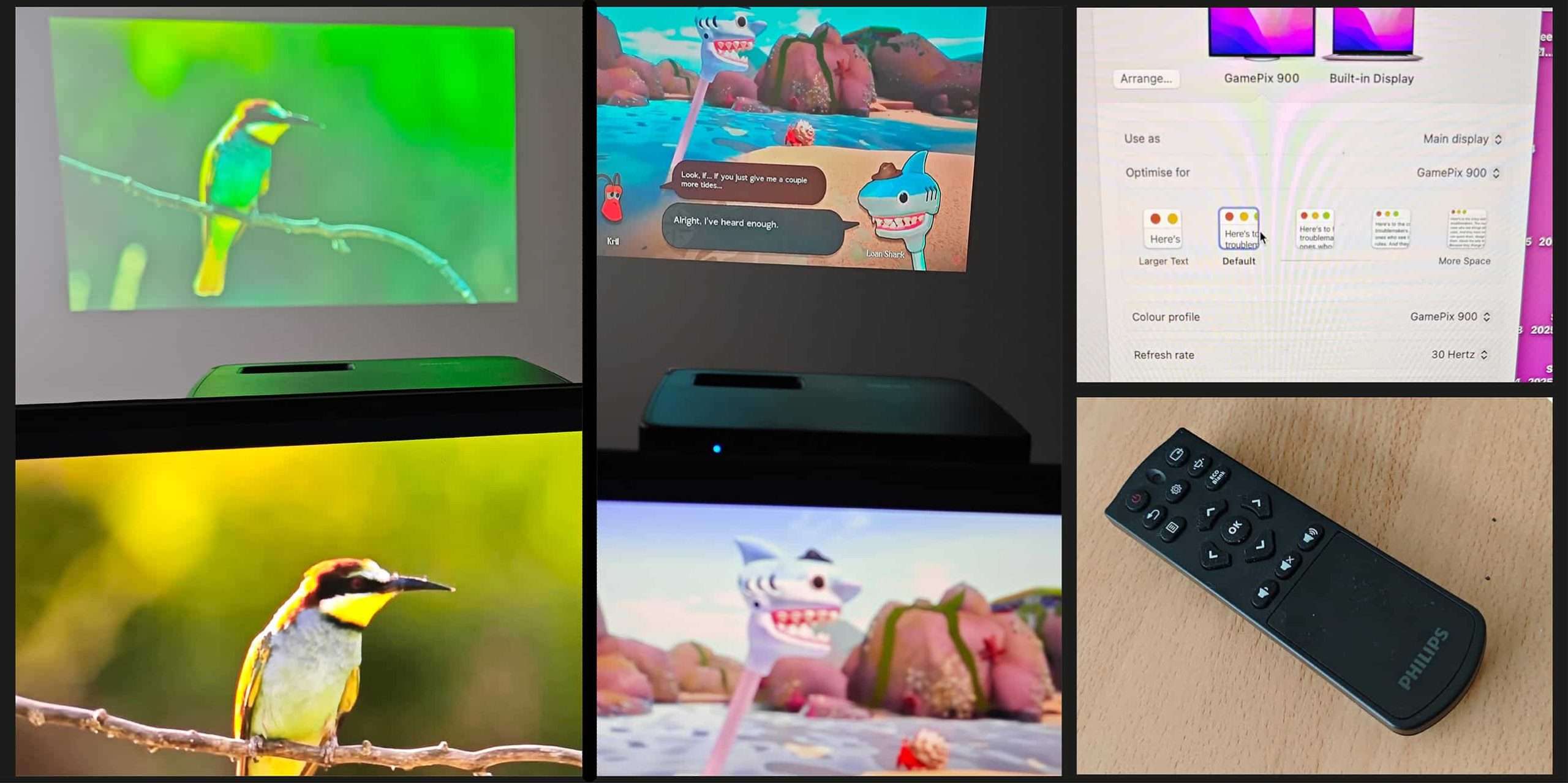
The GamePix 900 is equipped with 3 dedicated gaming presets dependent upon the genre of the game you’re playing – Action Gaming, Adventure Gaming, or Sports Gaming. Each setting applies the optimum gaming experience for the user, albeit subtly.
With a resolution of 3840 x 2160 pixels (4K), I was impressed with the sharpness of the image, especially in action games and movies where objects are moving at speed or explosions are a common feature. I found that I had to adjust the settings depending with each title and movie I watched. In some cases, people and objects in shadow areas weren’t very noticeable. Seeing details in distant landscape scenes was also a bit vague. I don’t think any projected image can match the vibrancy of a backlit LED screen but the Philips is probably the closest I’ve experienced so far. If I were projecting onto a professional screen instead of a painted wall, that may also go far towards elevating my experience.
According to Philips, the GamePix900 produces 5W of sound. I suppose this would be ok if you’re on your own or with a couple of mates. If you’re having a movie/ gaming night or doing a presentation with several people or perhaps an audience, I would have preffered the sound quality to be a bit punchier. When connected to my laptop, I had to manually select the sound output source as Gamepix; otherwise, the sound output remained on the default – Mac speakers.
Sum up
The Philips Gamepix900 packs features that serious gamers are going to love. It gives you incredibly detailed control over the image, including settings for brightness, contrast, color temperature, hue, saturation, and sharpness. This depth of customization is fantastic for enthusiasts, though it means casual users looking for a simple plug-and-play setup might find the initial choices a little daunting. The key is taking the time to set it up perfectly; once you dial in those settings, you and your group will be treated to truly amazing, high-performance gaming visuals.
Further information
Find out more about the Philips GamePix 900 here.
advertising
Similar articles

Review: Philips Gamepix 900 Projector: Testing the 4K Muscle
Chetan JoshiDecember 28, 2025


Comments
Don't miss our best reviews
Occasional updates, only when we have something worth sharing
Occasional updates, only when we have something worth sharing

Thanks for your message!
We’ve received it and will get back to you soon.